

LinkedIn algorithm secrets, the archive
All you need to know about LinkedIn, and what I didn't
Here, you will find the complete overview of all LinkedIn secrets, the dos and don'ts, and what works and what doesn't. Also, check out this month's update.
I base many of my insights on Richard van der Blom's yearly LinkedIn Algorithm Report: the most thorough, data-driven breakdown of how the platform actually works. Format performance, posting patterns, engagement mechanics.
Tactical gold. If you or your team create content on LinkedIn, get the report. Full disclosure: affiliate link. You get the best LinkedIn data available. Richard buys me lunch.
- How the algorithm builds its profile of you, which influences your reach
- Your connections are no longer your distribution
- Specificity beats authenticity
- Nurturing: the work after you publish
- The 9 rules for commenting effectively
- LinkedIn's algorithm is basically a nightclub bouncer, deciding who gets in and who does not
- The 5 LinkedIn tips no one tells you
- LinkedIn’s new 2026 algorithm, what changed?
- LinkedIn is in 2026 of the most cited sources in AI-generated answers
- The power of dark reach, the invisible spread of your content
- How to control what you see in your feed; your dwell time
- Be aware of the ‘Pod policy’ for friends and co-workers
- Reposting, ‘instant’ is still the best, and reposts from employees have -30% impact
- How to set up employee advocacy and employee-generated content
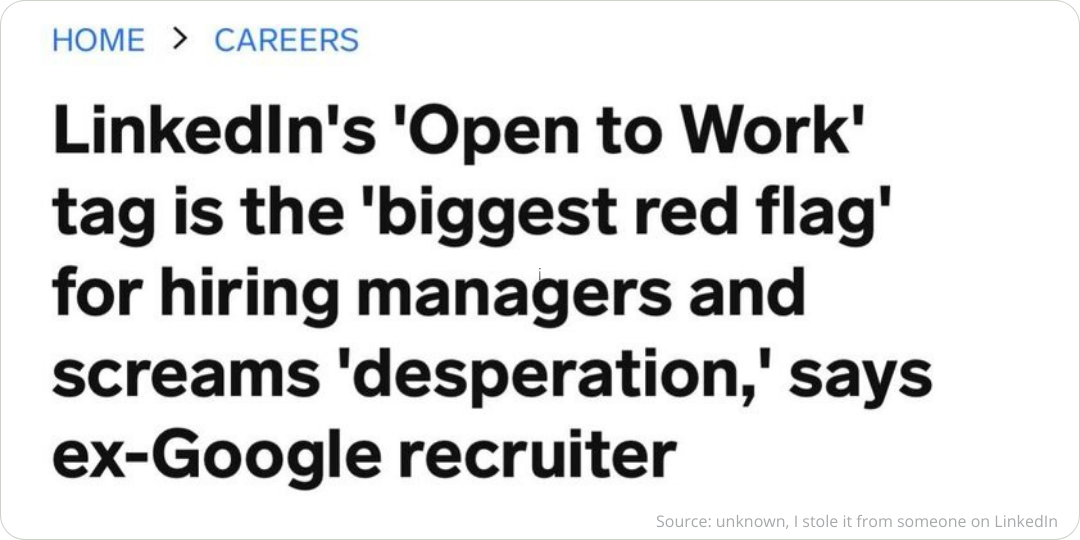
- ‘Open to work’ as a red flag
- Your profile matters and makes a huge difference
- Sources and who to follow
→ How to make your resume ATS-proof. Around 75% of companies use ATS to scan and auto-reject resumes, meaning if yours isn’t formatted properly, it might never get seen by a human.
Join 2,750+ professionals
Most content advice tells you what to do. This tells you how to think. For marketers and communicators who want the difference.
Free. Unsubscribe anytime.
Read more below. And please, before jumping to any conclusions, check the original sources for all insights, nuances, and details. As with everything, these secrets have context.
1. How the algorithm builds its profile of you, which influences your reach
The algorithm sees more than your posts, it has built a model of you. Based on your profile, your posting history, your engagement patterns.
And your reach is directly connected to that. It's about what the algorithm expects from you. When you post, it checks your content against that model. A match means distribution. A mismatch means suppression.
→ Your topics are your territory. One post outside your lane won't kill you. A pattern of drift will.
Three types of posts that destroy your reach becasue the algorithm didn't expect from you:
You announce you're renting out your summer house. Available in August. The algorithm built a model of a senior leader. It finds a property listing.
You share your morning routine. 5am. Cold shower. Gratitude journal. The algorithm built a model of a strategy leader. It finds a lifestyle account.
You share three lessons from your weekend run. Your audience followed you for industry insight. They're getting a training log.
It can also be more subtle: I’ve built authority around brand marketing, content strategy and AI. Then I start posting about sales funnels and performance marketing.
Still marketing. Still professional. Still wrong. The algorithm has a model of me. My detour into demand gen reads as noise and a disconnect.
2. Your connections are no longer your distribution
LinkedIn's feed is no longer built around who you know or follows you. It is built around what the platform thinks you care about. Relationship graph to interest graph. That shift changes how reach works.
→ For companies, it is a warning. Your logo won't carry you. Your executives and subject matter experts are your reach engine.
The ones who post with clarity and a real point of view and post with sharp topical focus, they can reach people who have never heard of you. If your LinkedIn presence depends solely on your company page, you are building on a foundation that is actively losing ground.
In 2026, 4 separate algorithm teams evaluate and rank every company and personal post before it travels anywhere. Each post is scored across all simultaneously. The ones that travel furthest score well across the board.
- News. Mission: Be first, be credible. Rewards: Breaking news reactions within 60 min. Penalties: Late takes on stale news.
- Engagement. Mission: Quality over quantity. Rewards: 12 real comments, 200+ likes. Penalties: Shallow reactions, no discussion.
- Trust & Safety. Mission: Keep it human. Rewards: Authentic, distinct voice. Penalties: Spam, bait, AI-generated filler.
- Design & UX. Mission: Stay on platform. Rewards: Docs, carousels, text + image. Penalties: External links, off-platform redirects.
3. Specificity beats authenticity
Reach is the old game. Engagement is the current game. And relevance and specificity is how you win it.
The audience hasn't stopped engaging. They've stopped accepting anything less than something worth their time.
In 2024–2025, showing up personally and honestly on LinkedIn was an edge. By late 2025, it had become one of the most overused patterns on the platform. Templated, frequently AI-assisted.
The feed was full of "here's what I learned from failure" posts that look and feel identical. These so-called authentic posts no longer stand out. They're everywhere. That vague vulnerability is now invisible.
What stops the scroll in 2026 is concrete: a real client, a specific number, an actual decision. Specificity plus expertise is the new differentiator.
→ For senior leaders, that changes the brief. Not more content. Better content. One specific insight from a real situation outperforms ten polished pieces written to be broadly relatable.
4. Nurturing: the work after you publish
The post is not the finish line. What you do in the hours and days after hitting publish can multiply your reach by 2 to 10 times. Or leave most of that potential on the table. Nurturing is now as important as the post itself.
→ For executives, the implication is direct. Publishing without staying present is a significant waste of the reach you built. The post is the opening. The conversation keeps it going.
High-performing content in 2026 stays active in feeds for 2 to 3 weeks. The condition: it keeps generating comments and time spent.
- The golden window is the first 1 to 4 hours. Meaningful interactions in that window generate 10 to 14 times more reach than publishing and disappearing.
- Authors who reply within 30 minutes generate 64% more total comments and 2.3 times more views. The reply is not courtesy. It is the mechanism.
- Reply with substance. An opinion, a specific follow-up question, a new angle. That scores measurably better than a thank-you or a single word.
What not to do: engagement bait; ‘comment XYZ’, engagement pods; the platform detects the pattern and penalises it, and generic two-word comments. ‘Great post’ or ‘I agree’ goes nowhere.
5. The 9 rules for commenting effectively
Comments are wildly underused on LinkedIn. They’re not flashy or viral, but they work. Commenting creates two-way interaction.
When people do use them, they often miss the mark. Instead of contributing meaningfully to the conversation, they default to generic, short reactions that do little to build credibility or reach.
→ A comment has 15x the importance of a like (Algorithm Insights 2024 Report by Richard van der Blom)

The common mistake
The most common mistake? Tossing in a lazy “Totally agree!” and calling it a day. That’s not a comment. It’s background noise. It doesn’t show you’ve read the post, and it definitely doesn’t start a conversation. These comments add no context or perspective and usually get ignored by others and the algorithm.
1. Write 15 words or more
Not to fill space, but to show you’ve considered the post. Longer, more thoughtful comments are far more effective in getting attention and starting a conversation.
2. Write it yourself, then improve with AI if needed
Start with your own thoughts. Use AI to sharpen after you’ve written your comment, not before. AI-generated comments are easy to spot. The algorithm notices, and so do people.
3. Add something useful
Respond with insight, not just agreement. Build on an idea. Ask a relevant question. Offer your perspective. The goal is to contribute something useful that sparks conversation.
4. A comment is not about you
This should go without saying, but don’t drop your elevator pitch in someone else’s comments. A good comment shines light on the original post, not yourself. Think conversation, not self-promotion.
5. Timing matters
Comments left within the first hour after a post goes live tend to have more impact. Early engagement helps boost the original post’s visibility, and your own comment is more likely to be seen.
6. Always reply
Whether you give or get a comment, reply. Follow the same rules above. Continue the conversation. Again, the algorithm notices, and so do people.
7. Comment first, like second
Your first interaction matters. LinkedIn values your very first signal, and commenting still ranks higher. This insight surfaced in 2024. It may evolve, but for now, it’s worth the small effort to write before you tap the thumbs-up.
8. The ‘I like yours, you like mine’ policy
LinkedIn actively discourages this kind of mutual back-scratching. Engagement pods and coordinated likes from coworkers often do more harm than good. By default, engagement from colleagues carries less algorithmic weight than interaction from peers or strangers.
Also worth noting: when the same people always comment first on your posts, their impact decreases over time. Mix it up. Focus on real conversations, not choreographed ones.
9. Lastly, be you
Be unmistakably you. Don't try to impress. Or be somebody else. People love authenticity. Especially if you're a bit upfront, quirky, nerdy, and outspoken.
Final note
LinkedIn gives you what you give it. If you're just here to check a box, expect crickets. But if you use it as a space to connect, contribute, and learn, even in the comments, you’ll start to see it pay off.
Comments may seem small, but when used well, they are one of your most effective tools.
6. LinkedIn's algorithm is basically a nightclub bouncer, deciding who gets in and who does not
There's a bigger system in place so LinkedIn can keep all our feeds as relevant as possible, so that we, the users, keep returning to their platform
If you think LinkedIn is for just posting your content, you’re missing the point. In my daily work, I see many people getting anxious over details and specs while they don’t even know the basics of how and why the platform works.
→ Before your content is seen at all, you need to get into the LinkedIn feed first.
Rule 1: The algorithm is the nightclub bouncer
- You don’t look the part. If your post isn’t formatted well, the visual is off, or the text is hard to read, the algorithm notices. Looks matter.
- You don’t bring the right energy. Flat, generic, mediocre content signals low engagement potential. The algorithm wants posts that spark conversation, not just take up space. Engagement matters.
- You’re not on the list. Rarely post or engage? The algorithm doesn’t see you as a regular. Just like the bouncer turning away someone who shows up once a year, it won’t prioritize you. Consistency matters.
Rule 2: AI scans your post before any human sees it
The bouncer from the example above, that's AI. So, before your post even reaches someone’s feed, AI has already judged it.
This scan is fast and ruthless. Only if your content passes all these checks will you have a chance to be featured in the feed. If you fail, no one even knows your post existed.
Rule 3: Your activity gets you VIP treatment
Being social on LinkedIn matters. The algorithm rewards effort. Engaging with others, sharing insights, starting conversations, and showing up in the comments pays off. That’s why comments are ranked higher than likes. Comments show you’re part of the conversation, not just tapping a button and moving on.
7. The 5 LinkedIn tips no one tells you
LinkedIn is quietly reinventing itself, and it looks like it's borrowing TikTok's algorithmic playbook. It’s shifting from a social graph to an interest graph, and that one change rewrites the rules of reach, visibility, and what actually gets seen.
To keep this overview page a bit manageable → the full article ‘The 5 LinkedIn tips no one tells you’
What you’ll read:
- In 2025, the big shift, from a social graph to an interest graph
- Tip 1: Long-form is back. Depth and niche expertise are in. Video? Not so much
- Tip 2. Write as you speak, don't try to impress
- Tip 3: Stop asking fake questions. No one’s falling for it anymore
- Tip 4. Obsess on the hook
- Tip 5. Comment and engage
- Company pages: still technically alive, basically useless. Here’s what to do
- How often should you post
8. LinkedIn’s new algorithm, what changed?
This marks a major shift in how the LinkedIn timeline works. It now doesn’t just scan your post, it reads it. Context, tone, and relevance now matter more than hashtags.
Instead of relying on thousands of separate algorithms—one for jobs, one for the feed, one for ads, LinkedIn now runs on a single large-scale language model with 150 billion parameters. It's similar to the technology behind ChatGPT or Gemini.
Here are the 3 biggest changes you need to know.
From ‘clicks’ to ‘meaning’
In the past, LinkedIn focused on signals like likes and hashtags. 360Brew now actually reads and understands your text. It grasps the context and professionalism of your post. It’s all about content quality and relevance to your audience.
The profile-content anchor
360Brew doesn’t look at a post in isolation; it evaluates how well it matches your profile. It uses your headline and ‘About’ section as the foundation for your expertise score.
If your post aligns with your stated area of expertise, you get a boost. If not, the model may suppress it.
AI detection
In the 360Brew era, the value system has shifted, as mentioned about the importance of comments and saves. But the model is extremely effective at detecting lazy, fully AI-generated content, and often downgrades its reach.
9. LinkedIn is in 2026 one of the most cited sources in AI-generated answers
AI is quietly building its knowledge base and LinkedIn Articles are one of its primary sources. Most brands haven't connected LinkedIn publishing to AI visibility yet.
For B2B queries, Profound tracked it as the #1 cited domain across six major AI platforms.
Semrush analyzed 325,000 prompts across ChatGPT, Google AI Mode, and Perplexity. LinkedIn appeared in 11% of all AI responses, second only to Reddit, ahead of Wikipedia, YouTube, and every major publisher.
- "LinkedIn is one of the most cited domains across AI models.
It ranks #2 in citations in the Semrush dataset, appearing in 11% of AI responses on average across ChatGPT Search, Perplexity, and Google AI Mode.
- Your LinkedIn content can directly shape how AI explains your brand.
LinkedIn shows relatively high semantic similarity scores in our dataset (0.57–0.60), meaning AI responses often mirror the meaning of the original content.
- Educational, original content is cited most often.
Long-form articles (500–2,000 words) and mid-length posts (50–299 words) account for the largest share of AI citations, and 54–64% of cited posts focus on sharing knowledge or practical advice, while reshares are rarely referenced.
- AI citations reward relevance and consistency more than virality.
Most cited posts have moderate engagement (15–25 reactions), while about 75% of cited authors post frequently (5+ posts in four weeks) and nearly half have over 2,000 followers.
- You need both Company Page content and individual thought leadership.
For example, Perplexity cites Company Pages most often (59%), while ChatGPT Search and Google AI Mode more often cite individual creators (59%)."
What this means for your brand
The brands showing up in AI-generated answers aren't posting more. They're publishing better.
Structured articles. Clear expertise. Consistent topics. Written by people who actually know what they're talking about, not by a content team filling a quota.
→ AI doesn't cite your brand. It cites your content, published by a coworker
That shift, from thinking about LinkedIn as a social channel to treating it as a publishing platform, is the whole game right now. Most brands haven't made it yet.
Your next AI citation isn't a campaign. It's a LinkedIn article, written by someone at your company, published this week.
10. The power of dark reach, the invisible spread of your content
Dark reach on social refers to the unseen impact of your content: those interactions and impressions that don’t show up in the analytics but still matter. Just because you can’t measure it doesn’t mean it isn’t real.
1. Invisible spread
Your content travels through private channels – chats, closed groups, email, DMs – where tracking dies.
- Shared by trusted peers, so higher impact
- Links copied without UTM tags → ends up as ‘direct’ or mystery traffic
- Reposts without credit → lives on in someone else’s feed, quietly
2. Invisible impact
Your content leaves a mark even when no one clicks, likes or comments.
- People might say ‘I see you post every week,’ though no metrics show that
- On LinkedIn, a glance can create an impression, yet it may not be logged
- Unopened emails where the sender + subject line alone build recognition and authority for you
Why this matters
Dark reach equals your content going ‘viral’ in the shadows. It’s the ghost impression that lives in someone’s mind, even if your dashboard shows crickets. Think of it like the friend who never comments but somehow knows your whole life story.
11. How to control what you see in your feed; your dwell time
You can have a say in what content pops up in your feed. Besides engaging with content and creators, you can also do this by controlling your dwell time.
The more time you spend on a post, the more LinkedIn thinks you like it, even if you don't engage with the post.
Please note, this also goes for content that irritates you. So if you read something annoying and you get all fed up, and continue to read, LinkedIn thinks you appreciate it. The algorithm can’t read sentiment (yet).
So, if you want to see less of that type of content, don’t engage with it. Don’t read it. Scroll on as fast as you can.
Do spend time reading and engaging with content that you like. The more you do that, the more of that type of content you’ll get. And if you really like it, leave an in-depth comment and help the original poster gain more reach.
→ ‘How to comment, with 15x the impact of a like’ (number 7 on the LinkedIn algorithm secrets list)
12. Be aware of the ‘Pod policy’ for friends and co-workers
Don’t ask your coworkers and friends to like and share your content blindly. LinkedIn has a ‘pod’ policy with penalties. This means you can’t fool the algorithm by asking for engagement just to increase reach. The algorithm recognizes this and lowers the value of the content.
In other words: LinkedIn punishes the ‘I like yours, you like mine’ behavior (the pod policy).
I also know that for a major brand launching a new product, LinkedIn warned them in advance. The warning was about their plan to have thousands of employees post about the product on launch day. LinkedIn noticed, and the content was blocked by the algorithm. This brand is known for these kinds of tricks ;) I can’t mention names (NDA).
13. Reposting: ‘Instant’ is still the best, and reposts from employees have -30% impact
The latest buzz about LinkedIn posts is ‘not to repost' and always create a new post. I don't agree. The best reach for your post still depends on the content and not purely on how you post it.
That said, let's dive into some details and data. Below, you'll read why I like reposting and how to do it.
Including that, surprisingly, ‘instant reposts’ are better than ‘repost with thoughts.’
Another surprise is that when employees share company posts, the impact is reduced by about 30%. There is a ‘pod’ policy in place, this means that you can't trick the algorithm by asking your coworkers and friends to repost and comment. The algorithm knows and devalues this accordingly.
Why I like reposting
- It gives more credit to the original source than when you create a new post.
- It shows your followers that you also share content from others besides your own.
- The number of reposts reflects the quality and relevance of the content, or very smart and strong stakeholder management to convince others to repost.
2 Things to keep in mind:
→ If you want your C-suite to share your content on LinkedIn, you must make it as easy as possible for them. I don't see them creating a post from scratch, so reposting works better for them.
→ If the original post has a ‘link in comment,’ it will disappear, so you need to add the ‘link in comment’ to your repost.
Repost: ‘instant’ or ‘with thoughts’?
The copy below is ‘borrowed’ from the Algorithm Insights 2024 report, pages 72 and 73, rewritten and edited for clarity and relevance. Follow Richard van der Blom for more insights, tips, and tricks based on data and research, not just opinions.
Before we start, a little definition. ‘Instant’ means hitting the ‘repost’ button without adding your thoughts. ‘Repost with thoughts’ means, well, adding your insights and why you think others should read this post.
→ Only add your thoughts when it makes sense, and to make it relevant for your followers. Does the original post need your thoughts, or can it do without? If in doubt, please keep in mind that the algorithm prefers the instant repost.
→ 2 Rules of thumb: first, make an effort; 100+ words and personal. Two, don't repeat what's in the original post. For example, adding ‘we are looking for an account manager’ when reposting a job, that adds no value, isn't needed, is too short, and has nothing personal.
What's in it for the original author, you wrote the post
- ‘Instant repost’ of your post within the first 4 hours can increase growth by 40%.
- ‘Repost with thoughts’: adding personal insights cuts the post’s impact by 12x compared to an ‘instant repost’. Oops! This is surprising to me. Based on Richard's research, it's better to encourage ‘instant reposts’ to maximize reach.
I still believe it’s good to share your thoughts when reposting, as it shows you care and put in effort. But you have to stick to the rules of relevance and length. However, the data from January 2024 tells differently.
- You always need to engage quickly when others repost your content to favor the algorithm and amplify your reach.
The reposter's perspective, you repost someone else's post
- Engagement on ‘reposts with thoughts’ also needs to be fast. Without direct engagement, the visibility of your repost is limited to 8-10% of your typical reach.
If you get 10+ engagements, you can boost that reach to 15-20%. But, based on the low reach of ‘reposting with thoughts’, you'll need to message your network to engage.
- Add context: your ‘thoughts’ should be at least 100 words and or very personal. If not and shorter, your ‘repost with thoughts’ underperforms by 3x.
- Employee versus external repost: when employees share company posts, the impact is reduced by about 30% compared to shares by individuals outside the company, except for infographics, which keep 25%.
- Instant reposts are primarily a gesture to support the visibility of others' content. It boosts the original post’s reach by 4% but doesn’t increase your visibility.
My advice on ‘repost instantly’ or ‘add your thoughts’
Honestly, I don't have a firm answer as to what to do. As with everything in life, it depends.
Whether you add your 100+ word thoughts depends on what you want to accomplish by reposting, your relationship to the original poster, and, of course, the content as in the message and post format.
Think about the pros and cons of reposting and adding thoughts, so you can decide for yourself what works best for your situation and your followers.
→ Don't ask your coworkers and friends, there is a ‘pod’ policy and penalty. This means that you can't trick the algorithm by asking them, the algorithm knows and devalues this accordingly.
In the brand new 30-page update of Algorithm Insights 2024 there are signs of a slight change towards the ‘add your thoughts,' but, based on the current data, the ‘instant’ is still favored (for now).
14. How to set up employee advocacy and employee-generated content
These two pages give you all the information you need to know:
- Amplify your business page reach on LinkedIn with employee advocacy
The 5 tips to turn your employees into a LinkedIn machine
- Employee-generated content is about to explode; what are you waiting for?
A new, real, and authentic way to get reach for your brand
15. ‘Open to work’ as a red flag 🚩
I wasn't aware, were you? For sure, I'll never put this up again. Small side note: this mainly applies to the more senior roles.
What to do instead? Get noticed with a solid personal content strategy.
16. Tips to create your best personal profile on LinkedIn
As always, Richard van der Blom has your back. He created a simple 33-point checklist for improving your LinkedIn profile.
My take on his checklist is that these are the 4 easiest fixes that most often go wrong
- Header visual: F'it with the boring corporate visual and big logo; keep it personal and authentic. There are many templates available to help you get started creating something awesome
- Profile picture: let it be professional, yet not too corporate stiff upper lip. And set it open; don't keep it a secret unless you're a celebrity special snowflake
- Spend time writing an amazing headline. Check out Richard's post or scroll down. Make an effort, and don't stick to just your job title; that's boring, and nobody gets excited by that.
- Be active. If your last post, comment, like, or share is more than a few weeks ago, it signals you don't give AF about being social. Nobody likes not-social people
On average, the LinkedIn profiles Richard analyzed ranked 62%. This is your chance to do better and stand out
Check out his complete checklist to improve and complete your profile, and give him a follow for more great LinkedIn content and secrets. He knows.
Your LinkedIn headline is your personal ad
Your profile headline is your own personal ad in 120 characters; make them count and treat it like a mission statement - who you are and why people should connect with you.
There is no golden formula, yet these are LinkedIn's own great examples to be inspired by.
My key takeaways
- Write it like a super short elevator pitch without buzz or jargon
- Share something personal in a light-hearted way,
- Strengthen your headline with your profile picture and cover photo; it’s the combination of the 3 that makes you stand out
- It’s not about you; focus on what you can do for the other, for example, as a rhetorical question as your headline
- You can be bold and show confidence
There's magic in your LinkedIn profile summary
LinkedIn gets it. Writing your LinkedIn Profile summary isn’t at the top of your to-do list. Sometimes, you need great examples to see the summary’s magic and figure out how to write your own.
These are LinkedIn's 14 best practices.
My key takeaways
- Very personal and authentically written in ‘I,’ they write as they speak
- Around 3 to 5 short paragraphs, quite some extended information with a minimum of around ~200 words
- Visually appealing; use break lines, making smart use of whitespaces
- Giving an overview with bullets or numbers where needed
Here are a few more tips
- Describe what makes you tick (in your own words)
- Explain your present role and describe what you do in the simplest terms. Share what problems you solve and for whom
- Highlight your successes, cite the biggest takeaway from your experience section across roles
- Reveal your character, show your personality next to who you are professionally
- Ask for what you want your audience to do after reading your summary; be specific
- Make your first sentence count; hook them
- Include keywords that highlight your top skills; these are the same keywords used in job descriptions
- Cut the jargon, as already mentioned; write as you speak
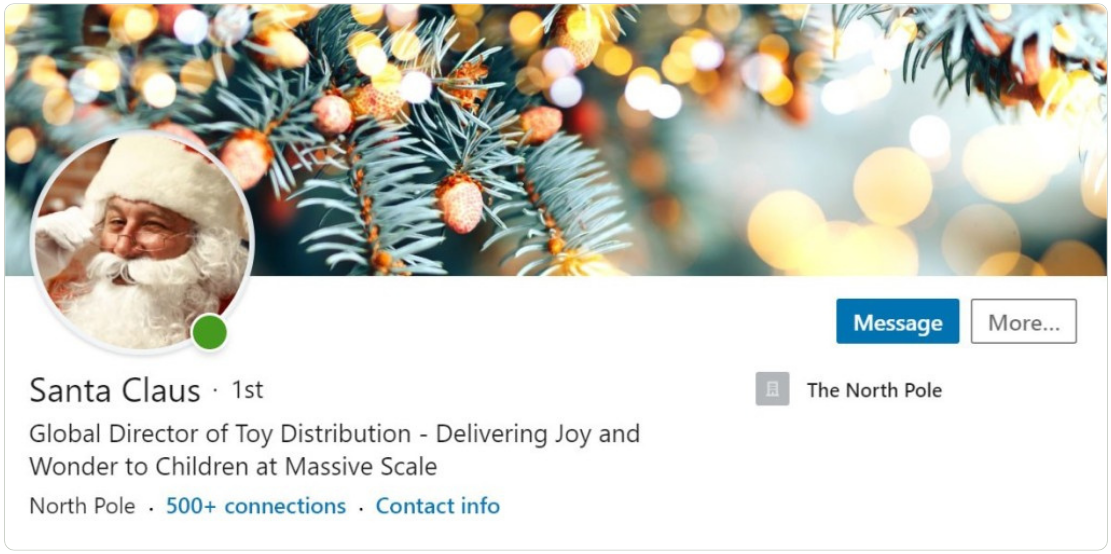
Below is Santa Claus's LinkedIn summary. Be inspired.

'About
I'm the happiest guy you'll ever meet. My cheer is infectious, and I get thrills spreading it at scale. I love children too. I thrive on their faith in me. The combination of these two passions is why I’m in the business of making kids smile.
My idea of fun is patiently listening to whiny customers seated on my lap in a mall, and turning their toy requests into $500 billion in sales. I’m proud that I have a direct impact on their behavior too: nice? Gifts. Naughty? Coal.
I can wear many hats: postal worker, reindeer tamer, workshop executive, sleigh pilot, chimney gymnast and elf resources manager. Desk jobs aren’t for me though. I do my best work on the move, flying through the sky.
I manage a team of 300,000 three-foot direct reports who live and breathe generosity and goodness. I know how to get the most out of them too. Since the launch of my elf-training program, my letter-readers have cut time-per-letter by 39% and my toy builders, wrappers and leaders have increased their output by 17%.
I can brave arctic temperatures and overcome sleep deprivation. I can shimmy up and down chimneys in a flash – without making a peep. No chimney? No problem. I’ll figure out how to get in.
I’m the kind of guy who is so meticulous that when I make my list in Excel, I check it twice. I have an uncanny ability to know when my customers are sleeping, and when they're awake.
Despite the demands of the job, I’ve never missed my annual deadline. Ever. Some people don’t even believe in me, yet I still deliver to them on-time.
Once you nailed your LinkedIn profile, it's time to share content.'
Source: ‘What Santa Can Teach Us About LinkedIn Profiles’
17. Who to follow
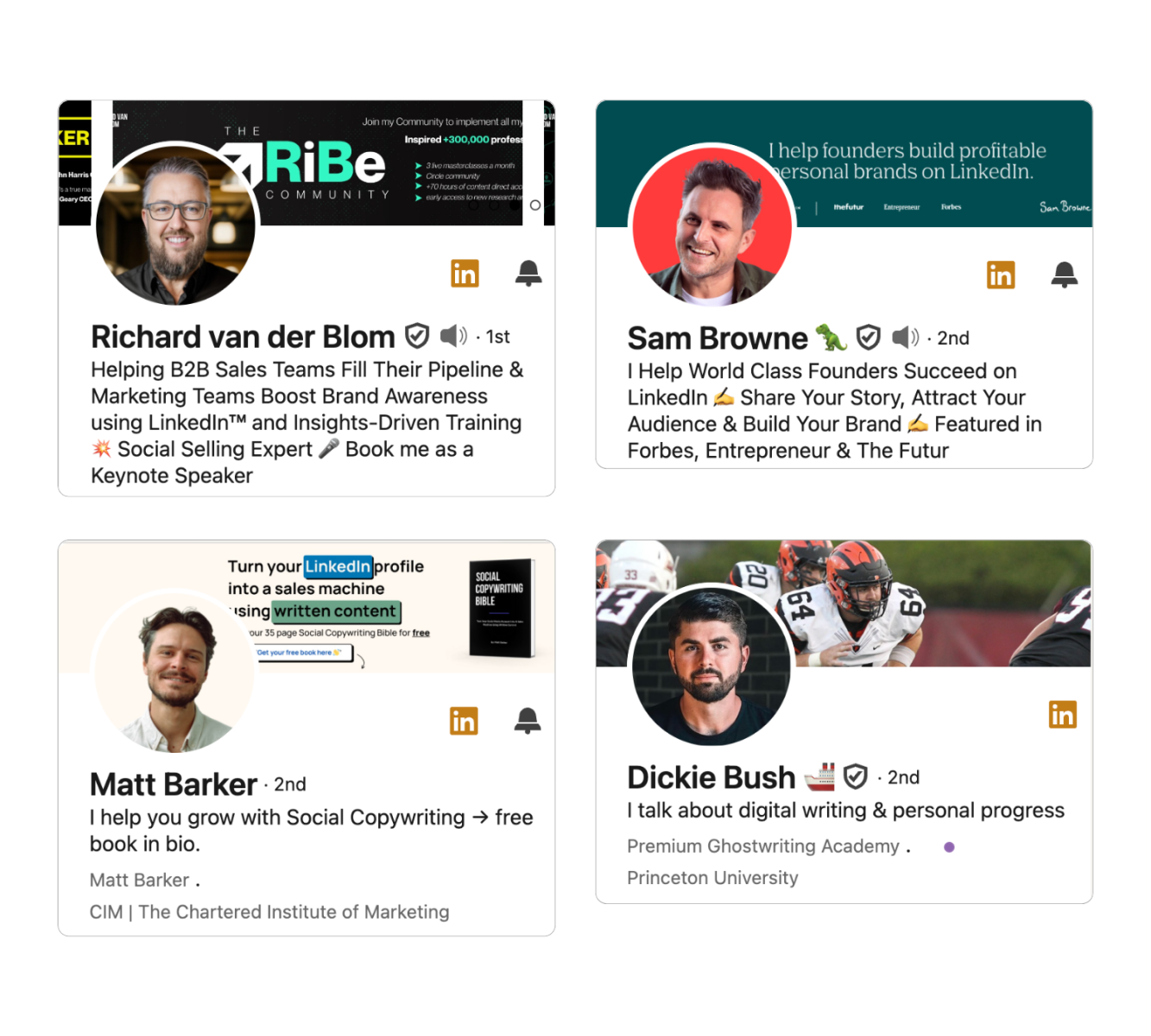
If you do want to know all the ins and outs of getting likes and comments, these gents know their game and share knowledge — no fuzz, no b*lls*t, no jargon, just honest, upfront advice and nailing it.
Richard van der Blom, Sam Browne, Matt Barker, and shout out to Dickie Bush.
Sources
Check out Richard; he's got great insights on LinkedIn reach.
LinkedIn cheat sheet below via Alexander Greb
Credits to Auke van der Grinten, via the link how you can ask him to send you the Nextfields B2B LinkedIn handboek
And big thanks to Sam Browne for his LinkedIn secrets of the algorithm V2
And follow Christ Coolen for his insightful content on marketing psychology and content (Dutch only).
Disclaimer
This page is updated frequently. Whenever I get new insights worth sharing, I'll add them to this page.
 Powered By PressPage