


LinkedIn 2026: the job seeker's edition. Why deleting your old resumes is the first thing you should do
The LinkedIn algorithm secrets, July update
This month’s LinkedIn algorithme secrets update is dedicated to the job seekers. And for anyone who wants LinkedIn to actually work for them.
→ TLDR: I deleted 7 old resumes from my account. Relevant recruiters showed up. Job suggestions improved.
I also cover why your headline and your content need to match, and where I stand on the Open to Work badge.
1. Delete your old resumes from your LinkedIn profile
If you've ever uploaded a resume, LinkedIn uses that. It uses all that data to read you and build a picture of you. Even the hidden resumes that no one but you can see.
If your saved resumes are old or written for jobs you no longer want, you're sending mixed signals. Mixed signals means not showing up in the right recruiter searches.
Here's how to clean it up.
- Go to Settings & Privacy → Data Privacy → Job Seeking Preferences.
- Look for two settings: ‘Save resumes and application data’ and ‘Share resume data with recruiters.’
- Turn them off first, then delete every resume that doesn't match anymore. All of it.
- Then upload your current resume, the one that reflects the role you want. If you're targeting two different tracks, upload one for each.
- Before you switch those settings back on, check that your profile and your resume align. Same dates. Same job titles. Same keywords. LinkedIn uses both to build its picture of you. If they contradict each other, that picture gets blurry.
- Toggle the settings back on. Done.
→ I deleted 7 old resumes from my account.
All credit for this goes to Emily Worden. Follow her for great practical content for job seekers.
2. Your job suggestions will improve too
I did this cleanup and the difference was immediate. The vacancies LinkedIn suggested actually match what I'm looking for now.
The junior roles disappeared. Just like that. My old resumes were so outdated and off-target they were pulling my entire profile down. LinkedIn had built a picture of me I no longer recognised.
I should have done this years ago. It would have saved me a lot of frustration.
3. Your headline shouldn't be your job title
Recruiters don't browse profiles. They search with keywords. If those keywords don't appear in your headline, bio, or work experience, you won't show up.
Write the headline for the role you want, not a description of the job you have now. Then carry those same keywords through your bio and experience. That's how you get found before you apply.
Need inspiration? Santa's LinkedIn profile is genuinely worth a look.
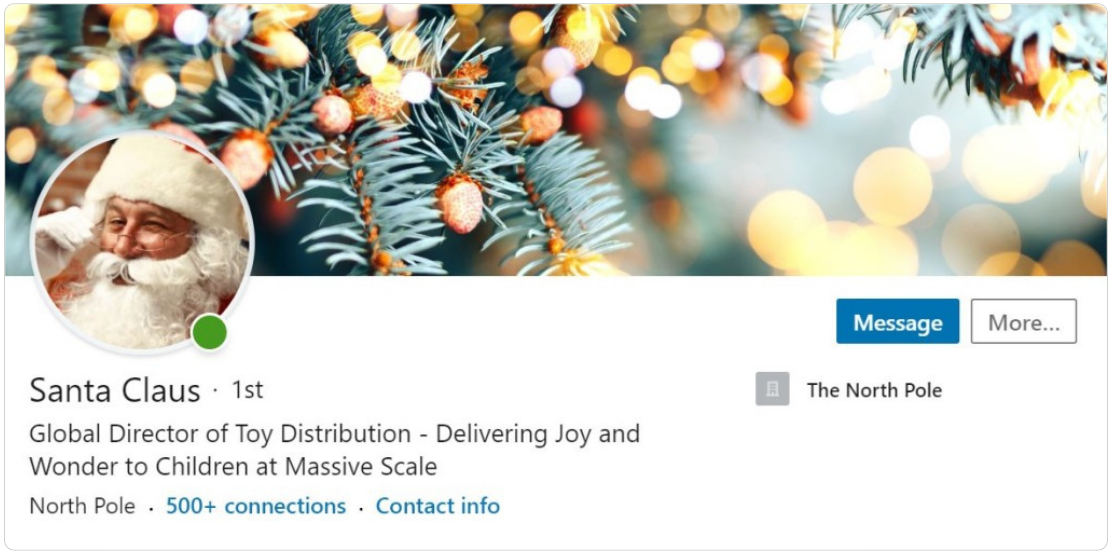
4. Your headline and your content need to match
This one matters beyond job seeking. It applies to anyone who posts.
LinkedIn evaluates your profile and compares it against the topics you post about. The stronger the alignment, the more LinkedIn sees you as a credible voice. It pushes your profile to the right recruiters and amplifies the reach of your posts.
Here's a fast way to check.
- Go to your profile, click Edit, delete your headline, and hit ‘Write with AI.’
- Look at what it suggests. That's LinkedIn's read of you.
- Now compare it to what you actually post about. Same territory? You're fine. Completely different? That's your reach problem.
One thing: don't use that suggestion as your actual headline. It's terrible. LinkedIn’s AI is a diagnostic, not a copywriter, no matter what LinkedIn says. Use it to see how LinkedIn reads you, then write your own.
‘Write with AI’ is a LinkedIn Premium feature. Free one-month trials come up regularly. Worth doing this check before the trial expires.
All credit for this goes to Alicia Teltz, follow her for more.
5. How to write your open to work post
The best practical guide I've seen on this is Emily Worden's framework. I edited it for my own use. When I posted my open to work post in March 2025, it landed me 2 new projects.
LinkedIn will nudge you to write a post when you activate your Open to Work settings. It will even draft one for you. Don't use it. ‘Hi everyone, I am looking for a new role and would appreciate your support’ tells nobody anything. It's lazy and won't get you results.
Write your own. Short paragraphs, short sentences, bullet points and line breaks.
Here's how.
- Start with a story. Not ‘I am looking for a new role.’ Something real: ‘After being laid off in December and taking time to regroup with my family, I'm ready to work.’
- Say what you're looking for. Job title, industry, the skills you want to use. Be specific. Vague gets ignored.
- List your best results. Numbers, not descriptions. Impact, not just responsibilities.
- Optional: add a human or fun fact. LinkedIn has gone more social. People connect faster when they know something real about you.
- Close with a specific ask. ‘If you know anyone hiring product managers, send them my way. Like or comment to help with visibility.’ People want to help. Make it easy.
- Offer to return the favour. One line is enough.
→ Repost every three to four weeks. Most people didn't see it the first time.
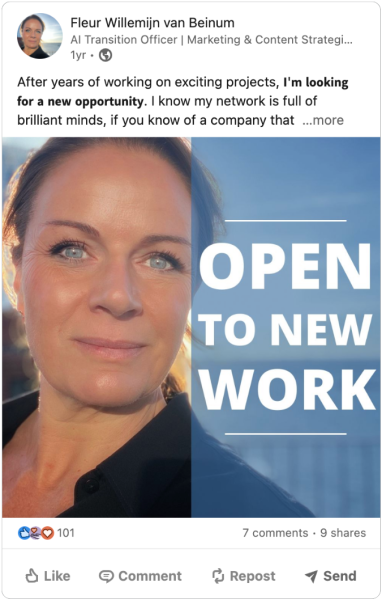
6. The Open to Work badge: signal or red flag?
The debate is back. Should you use it or not.
My view is simple. For junior or mid-level professionals, use it. It's a clear signal and recruiters respond to it.
For senior leaders and C-suite, don't. It doesn't read as availability. It reads as desperation. There's a difference, and the people you want to attract know it.
I've never had a recruiter not reach out because I didn't have the badge. It has never stopped them. Not once.
More insights on LinkedIn's algorithm secrets
I collected all my monthly updates on the All LinkedIn algorithm secrets archive page.
What you'll learn:
- How the algorithm builds its profile of you, which influences your reach
- Your connections stopped being your distribution
- Specificity beats authenticity
- Nurturing: the work after you publish
- The 9 rules for commenting effectively
- LinkedIn's algorithm is basically a nightclub bouncer, deciding who gets in and who not
- The 5 LinkedIn tips no one tells you
- LinkedIn’s new 2026 algorithm, what changed?
- LinkedIn is in 2026 of the most cited sources in AI-generated answers
- The power of dark reach, the invisible spread of your content
- How to control what you see in your feed; your dwell time
- Be aware of the ‘Pod policy’ for friends and co-workers
- Reposting, ‘instant’ is still the best, and reposts from employees have -30% impact
- How to set up employee advocacy and employee-generated content
- ‘Open to work’ as a red flag
- Your profile matters and makes a huge difference
- Sources and who to follow
Special edition: How to make your resume ATS-proof with AI and LinkedIn
And please, before jumping to any conclusions, check the original sources for all insights, nuances, and details. As with everything, these secrets have context.
Join 2,750+ professionals
Most content advice tells you what to do. This tells you how to think. For marketers and communicators who want the difference.
Free. Unsubscribe anytime.
 Powered By PressPage